Free beta · runs in your browser
Tag it. Clip it.
Analyse it.
Keyboard-first match coding, annotated clips and analysis that builds itself. All in your browser, and your footage never leaves your machine.
No video here — in the app this is your own footage, read straight off your machine.
In the app these are your buttons — rename them, add your own, give them follow-up steps.
Nothing tagged yet. Press a button above, or hit P on your keyboard.
From kick-off to the final report.
One workflow, one tab. Load the match, code it, cut the moments that matter and hand over something a coach will actually watch.
- 00:00
Load footage — or go live
Open a local video file, paste a direct link, or tag live on a match clock and line it up with footage later.
- 00:04
Tag the game
Every button has a key. Chain follow-ups, place events on the pitch, and let lead-time compensation catch the start of the move.
- 45:00
Edit in Studio
Trim, freeze-frame and draw arrows, spotlights and zones on a dedicated editing page.
- 90:00
Find the patterns
Pick one match or the season. Specialist pages build themselves from what you tagged, and every number opens its clips.
- FT
Deliver
Present full screen with title cards, write a match report from your tags, or export the data.
Code a half without touching the mouse.
XIReel is built around the keyboard. Your template is your buttons: rename them, add your own, and give each one the key you'd reach for.
- Keys you choose. Change any shortcut, then press ? for a printable sheet of your template.
- Follow-ups that branch. Only ask about the assist when it was a goal.
- Location queue. Skip the pitch when it's frantic and fill it in at a stoppage.
- Live mode. Tag from the sideline on a match clock, align to footage later.
Show them exactly what happened.
Clips go straight from the tagging screen into Studio. Freeze the frame, draw on it, and build the reel you'll show on Monday.
- Telestration. Arrows, spotlights and zones on a frozen frame.
- Per-tag clip windows. A shot and a build-up don't need the same length.
- Collections. Group clips and present them full screen with title cards.
- Half-time playlist. Mark moments with one key, review them at the break.
Illustration of Studio's drawing tools
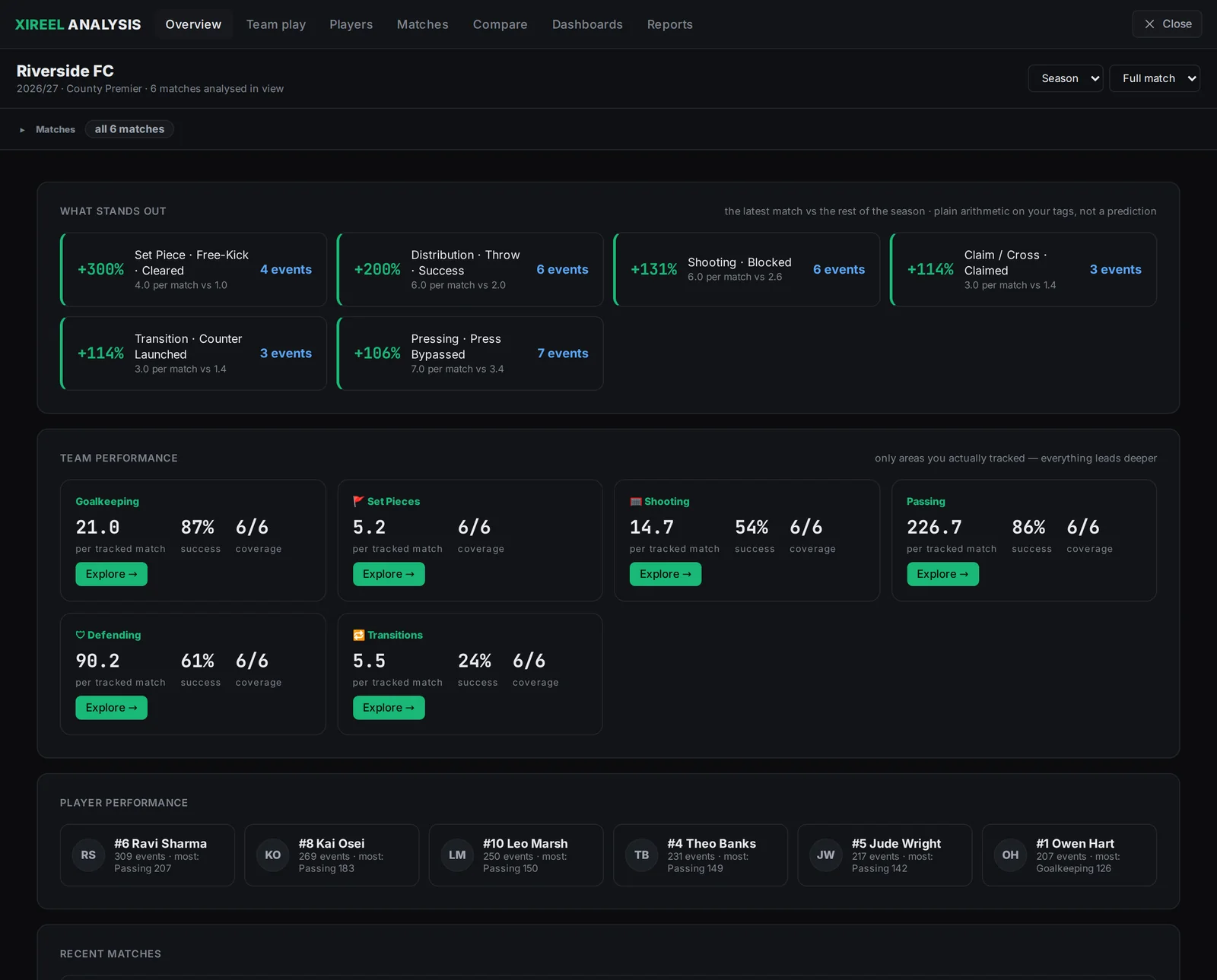
The analysis builds itself from your tags.
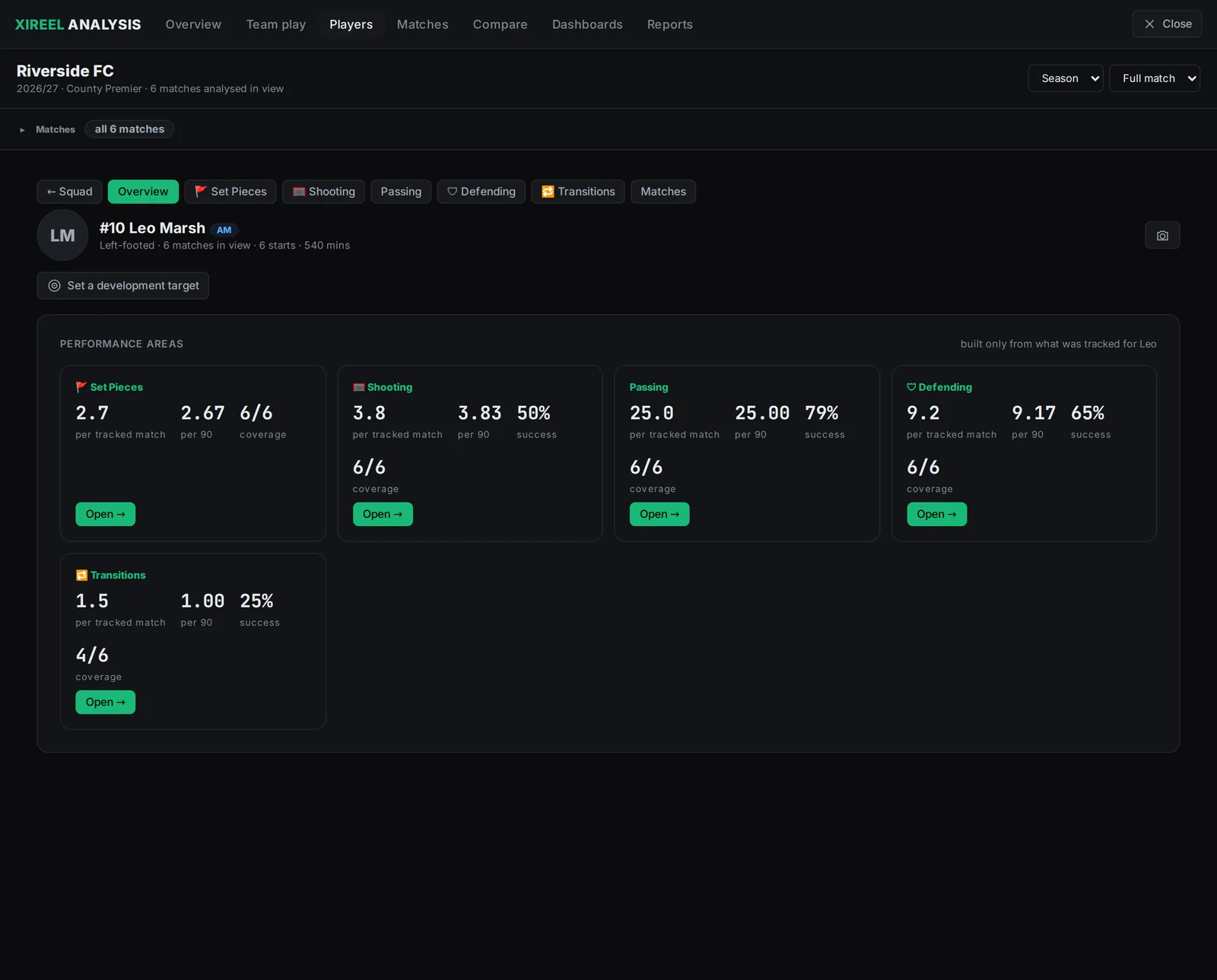
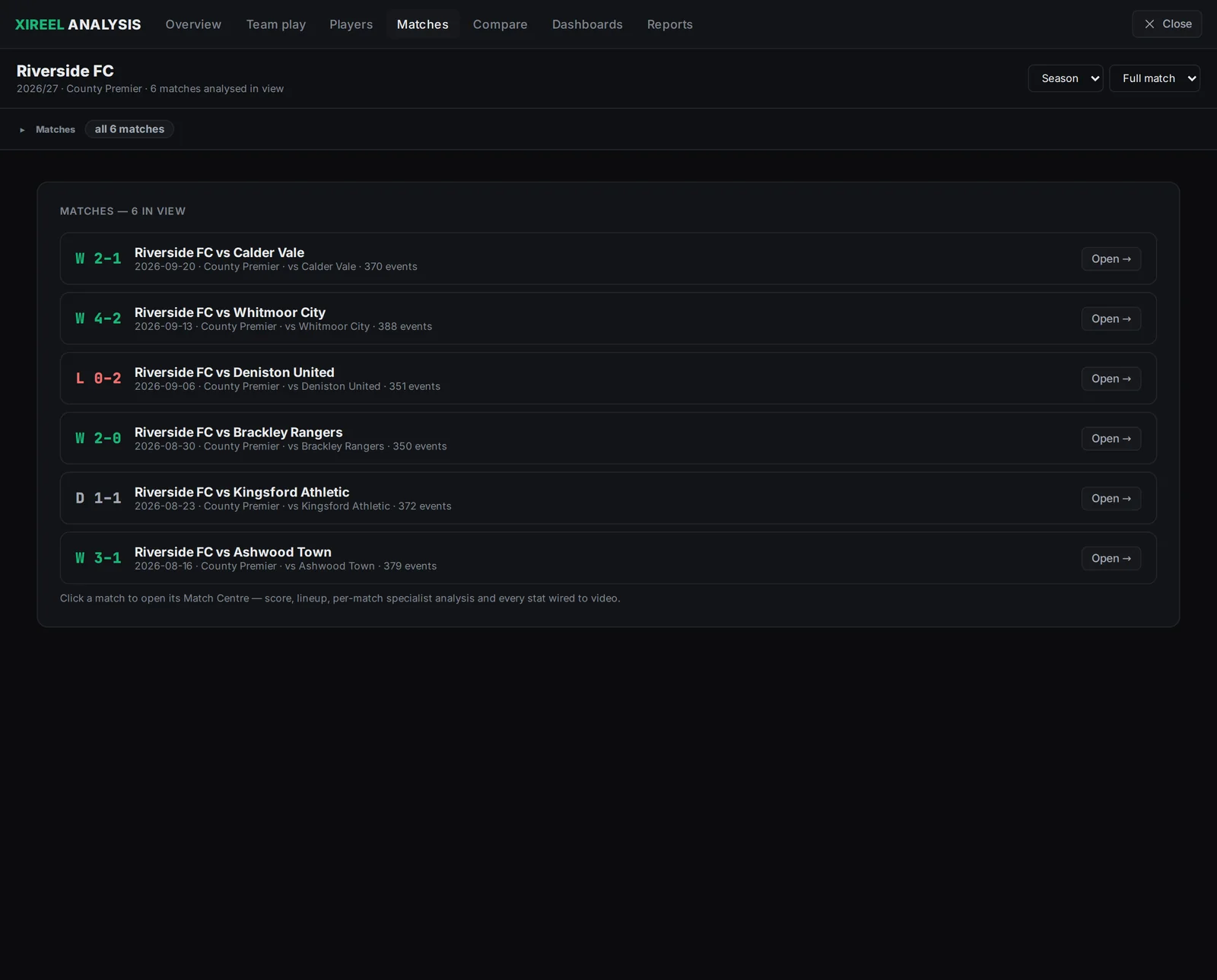
Pick one match, a handful, or the season. Passing, shooting, defending and goalkeeping pages fill in from whatever you tracked, and nothing shows up empty.
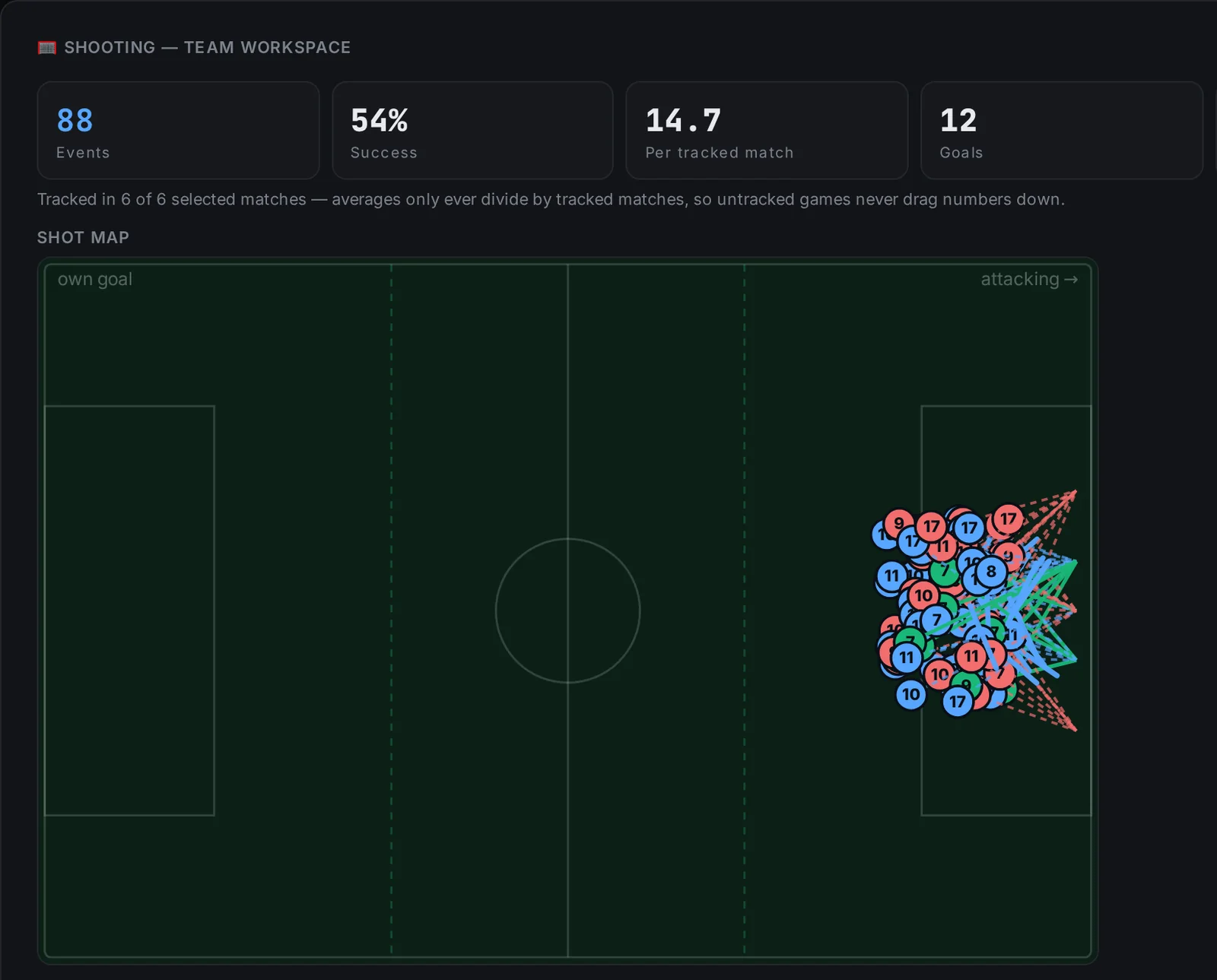
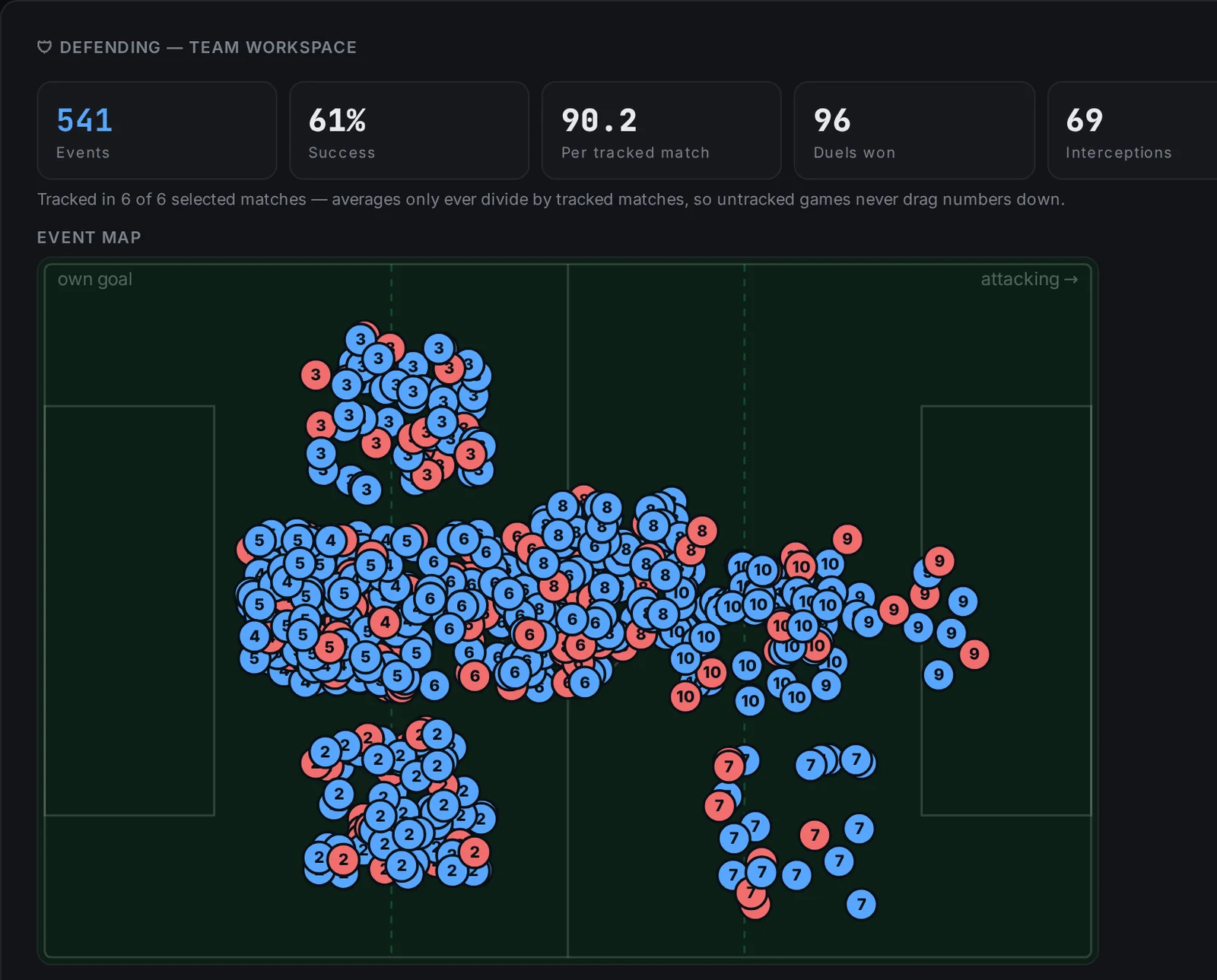
Codingon the tagging screen
- Focus modestrips the app back to just the coding surface
- Click the pitchthirds and channels worked out for you; passes take two clicks
- Match workspacesload your whole setup in one click
- Shareable templatesbuttons, follow-ups and shortcuts in one file
Analysisacross one match or a season
- Season-wide datapermanent player IDs, trends and per-90 numbers
- Your own metricswrite formulas from your own tags
- Dashboards you buildmetrics, leaders and an event matrix that clicks through to video
- Review modethe event log follows the video as it plays
- Development targetswhat a player is working towards, measured
- Match reportswritten from your tags, with the sections you choose
Practicalthe boring bits, done properly
- Lineups and formation boardXI, subs, captain and minutes played
- Backup and restoreone file, plus crash recovery
- Demo seasona full season to explore before you code one
- 13 languagesright-to-left included, light and dark themes
Built for analysts without expensive software access
Professional platforms cost hundreds to thousands a season. XIReel covers the core workflow for the people doing the work without the budget.
- 01
Students & graduates
Build a real analysis portfolio: tagged matches, annotated clips and exported reports you can show an employer.
- 02
Grassroots & academy coaches
Review your team's matches and show players exactly what happened, clip by clip.
- 03
Entry-level analysts
A full tagging-to-presentation workflow while you're between club systems or budgets.
- 04
Scouts & recruitment
Code individual players across matches and export the evidence behind your reports.
- 05
Sports data & AI annotation
Structured, timestamped event data with clean CSV and XML output for your pipelines.
Your footage never leaves your device.
Read locally
XIReel opens video in your browser. Nothing is uploaded to analyse a match.
Sync only if you choose
Optional account sync covers your analysis data, and it's clearly labelled in the app.
You know where it lives
The app tells you plainly where your work is stored, and backs it up to one file. Privacy policy
Built from a real gap.
XIReel is made by one analyst, and shaped by the people using the beta. If something's missing, say so. It gets read.
XIReel was created after losing access to university-level analysis software after graduation. The aim was simple: build a practical football analysis workflow that lets analysts keep tagging matches, creating clips, reviewing data and building portfolio work without needing expensive software access.
Before you kick off.
Is it free?
Yes, while XIReel is in beta. You get the whole app, not a limited version.
Do I need an account?
No. You can start as a guest straight away. An account lets you sync your analysis data if you want to.
Is my video uploaded anywhere?
No. Footage is read locally in your browser, so it stays on your machine.
Which browsers work?
Chrome, Edge and Firefox. Safari doesn't yet support full clip extraction.
Can I take my data into other tools?
Yes. Export CSV and Sportscode XML, or back everything up to a single file.
Can I try it without my own footage?
Load the demo season from the welcome screen: one team, six matches, fully tagged.
How do I set my own hotkeys?
Every tag button has a key you can change in the app. Press ? any time to see and print your full set.
Is there a walkthrough?
Four short guided tours run inside the app: Tagging, Studio, Library and Analysis. Start the tour.
Code your next match.
Free while in beta. No install. It runs in your browser.